
A message pulls you away from your notes. Later, the phone is silent, but a difficult practice question sends you reaching for it again.
Those interruptions look similar, but they need different fixes. Silencing alerts helps with the first. It may not solve the second if checking has become your way out of a difficult moment.
For your next study session, start with one change: decide what the phone is allowed to do before you begin. Keep the functions you need, remove avoidable interruptions, and give unrelated checking a time of its own.
Before you start, fill in this sentence: “I am studying ___; my phone is here for ___; I will check other things at ___.”
Here is how to make those choices without buying another app or pretending you can be unreachable all afternoon.
First, notice why you pick it up
Imagine you have half an hour to revise percentages. Your aim is to solve three practice questions and explain one mistake.
When you reach for the phone, which of these is happening?
| What happened just before the check? | A useful change to try |
|---|---|
| A message lit up the screen. | Silence nonessential alerts for this session. |
| You got stuck on a question. | Write the exact step you cannot do, then consult the relevant explanation. |
| You needed a calculator. | Open the calculator before starting. If allowed and available, use a separate calculator so you can put the phone away. |
| You wondered whether someone needed you. | Keep an agreed urgent-contact route available and choose when to check routine messages. |
You do not need a week of tracking to begin. Notice the next interruption and try the matching fix. “I keep checking” is a useful observation. “I have no discipline” gives you nothing specific to fix.
Silence the interruption, not everyone who might need you
A notification can interrupt you even when you leave it unanswered. In a 2015 laboratory experiment by Cary Stothart and colleagues, participants completed an attention task and were assigned to receive calls, texts, or no study notifications. The analysis excluded people who handled or looked at their phones. Calls disrupted task performance; the text-message result was less clear because the groups differed at baseline.
That experiment measured errors on a laboratory task, not exam results. It supports a modest recommendation: remove alerts that do not need to interrupt this particular session.
Before starting, check the places those alerts can reach you: the phone, a watch, and messaging windows on your computer. Muting one while another keeps buzzing defeats the purpose.
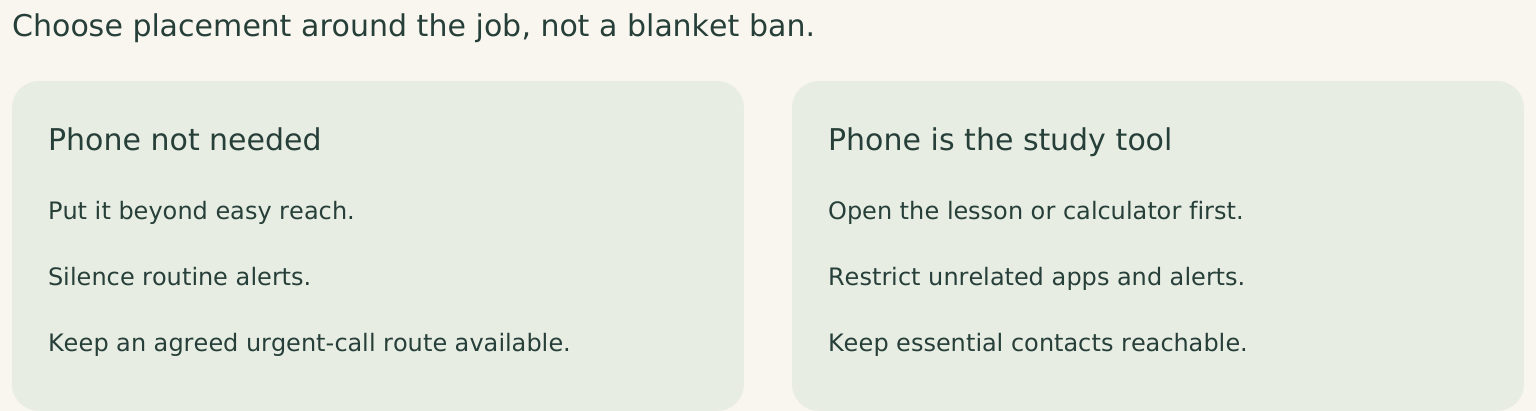
If a child, partner, or colleague genuinely needs to reach you, do not adopt a blanket “phone off” rule. Use the interruption controls available on your device to preserve essential contacts, and check that they work. Agree on what counts as urgent where appropriate. Routine messages can wait until a chosen stopping point; urgent responsibilities may not.
Put the phone away when reach is the problem
If you keep unlocking it without a reason, try a bag or shelf beyond arm’s reach. You are making an unnecessary check a deliberate action rather than an effortless movement.
There is a useful distinction here. Putting a phone away may help you stop using it. That is different from claiming that a silent phone on the desk automatically drains your brainpower.
A preregistered replication published in 2022 found no statistically significant differences on the tested working-memory and attention tasks between phone locations: desk, pocket or bag, and outside the room. A 2024 meta-analysis covering 33 studies likewise found no statistically significant overall effect of mere phone presence on cognitive performance.
These findings concern mere presence, not notifications or active checking. Move yours if it reduces checking. You do not need a universal “brain drain” effect to justify a useful boundary.
And if your phone is your only way to access the lesson, keep it. Open the required material, silence unrelated alerts, and use paper for the parts you can do offline. A rule that removes your study tool is not helping you study.
Give the difficult moment a next step
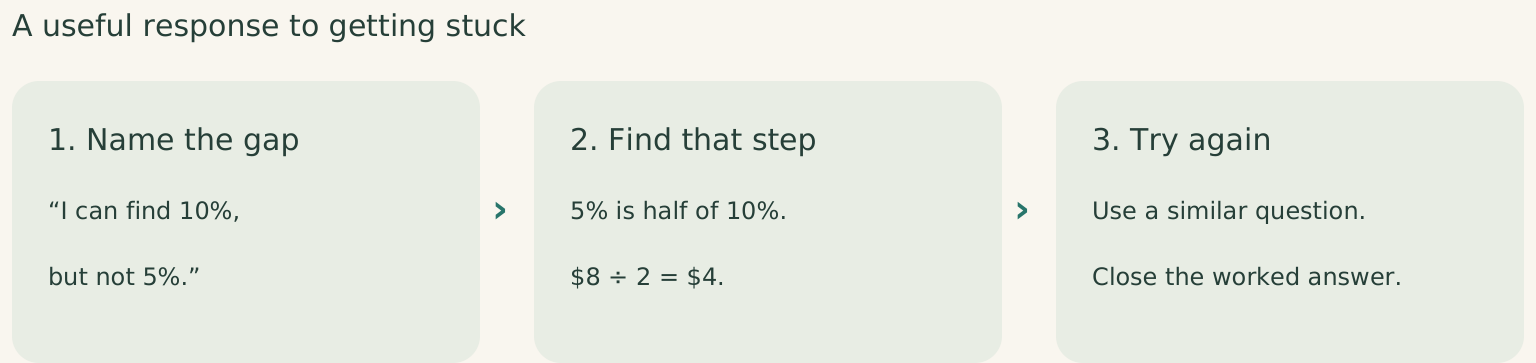
Back to the percentages question. You need to work out a 15% discount on $80. You know that 10% is $8, but hesitate over the remaining 5%. This is where you would normally reach for a feed.
Replace “keep concentrating” with a specific next action:
Write: “I can find 10%, but I’m stuck on 5%.” Look up that step in the worked example. Here, 5% is half of 10%, so it is $4. The total discount is $12, leaving $68.
Once that step makes sense, try a similar question without the solution in view. Our guide to learning without the walkthrough goes further into that transition.
The principle applies beyond maths. During a language lesson, replay the sentence you could not understand rather than browsing for a new course. During coding practice, write down the input that breaks your solution before opening a tutorial.
If you still cannot get started, you may need a simpler explanation or a real break. Moving the phone will not fix a gap in understanding or an exhausting day.
For unrelated thoughts such as “reply to Sam” or “look up that book,” one line on paper is enough. Review it later. If this happens often, try the prompt parking lot method.
Make checking deliberate, then see what changed
Choose a stopping point before you start, rather than checking whenever a question becomes awkward: “After these three questions, I’ll check messages, then return to question four.” At that point, take a break. If you need to check messages, decide what you are checking and when you will return. You do not have to fill every break with the phone.
Choose a block you can realistically protect. Shorten it if needed, and plan around responsibilities that require frequent availability.
After the session, ask two small questions:
- What did I complete or understand that I could not do at the start?
- Which unplanned checks interrupted the work?
For the percentages example, a useful result is “solved three questions, corrected the discount mistake, checked messages once at the break.” It is more informative than a low screen-time number. Twenty minutes on a lesson may be valuable; five minutes bouncing between feeds may not serve the task.
Try the same setup across a few comparable sessions. If alerts have stopped but you still check when stuck, change how you handle the hard part. If you keep opening messages because you are worried about missing someone, revisit the contact arrangement. Do not keep tightening a restriction that solves the wrong problem.
For your next session, fill in that three-part plan: what you will study, what the phone is for, and when you will check it.
Then open the first question. You have a decision to follow, and something concrete to come back to when your attention wanders.